Cruise passengers have limited time and a phone in their hand. Sort your maps listing, menu and fast options so they can choose your café before they wander elsewhere.
A cruise ship arrives and visitors have a few hours to find coffee, breakfast or something easy to eat. They’re not studying your brand. They’re searching Google for a café near the Newcastle cruise terminal while walking with a map open.
That’s one day per ship, but it’s a good one. Newcastle has 18 cruise ships scheduled for the 2026–27 season, and a new free shuttle is now running visitors into the East End on ship days. The café that shows clear hours, a proper menu and recent reviews has a better shot at the walk-in.
When cruise visitors are in town, make it easy for them to find you, trust you and order fast.
Know when the ships are in and where visitors land
Ships berth at Carrington, and passengers can’t walk out of the port. Port shuttles drop them near Newcastle Museum and the Visitor Information Centre. On ship days, the East End shuttle loops every 20 minutes from there to the corner of Hunter and Watt streets.
That’s where your foot traffic starts. Check the Port Authority of NSW cruise schedule and put every ship day in your roster. Most ships arrive between 8am and 9am and leave late afternoon or early evening.
Get your Google hours right before cruise day
Wrong hours cost walk-ins. A visitor fresh off the shuttle won’t ring around to check. They’ll tap the next place marked open.
Ready to grow?
Book a free strategy session with a local specialist.
Check your Google Business Profile each week, especially before a busy weekend. If your Honeysuckle café opens early on Saturday, make sure Google shows the right time.
- →Set your regular opening hours for every day you trade.
- →Add special hours before public holidays or private events.
- →Make sure your phone number rings at the café during service.
- →Check that your pin sits at the actual entrance, not halfway down the block.
Search for your own business on a mobile phone. If a tourist can’t tell you’re open at a glance, fix the listing before the next arrival.
Tell people how long the walk takes
Visitors don’t know Newcastle like locals do. “Just around the corner” means nothing when they’re trying to get back to the ship on time.
Put clear directions in your Google Business Profile and on your website. An East End café could say it’s a short walk from the terminal via Hunter Street — but only if you’ve checked the route yourself.
Use a walking time, a recognisable street and one useful landmark. That gives visitors enough confidence to start walking.
Keep it accurate. If there are stairs, a steep hill or a route that’s awkward with a pram, don’t pretend otherwise. Clear information beats a disappointed review.
Put fast food and takeaway options where phones can find them
People looking for food near the terminal often want something quick. They may have kids, a tour booking or a ship departure time on their mind.
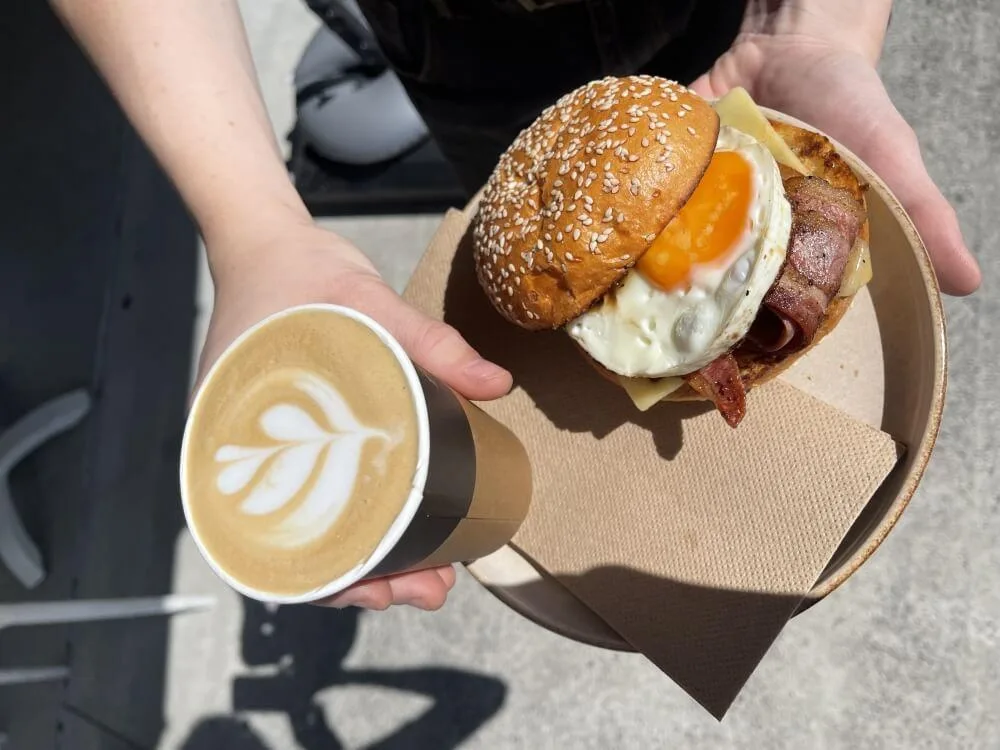
Show your fastest options first. A bakery near the CBD could list coffee, bacon-and-egg rolls, pies and ready-made sandwiches with clear photos and prices.
- →Add a menu link to your Google Business Profile.
- →Make the menu readable without pinching and zooming.
- →Put takeaway drinks and ready-to-go food near the top.
- →Show dietary options only if you can reliably provide them.
- →State realistic wait times during busy periods.
For someone after a takeaway coffee, a clear Google listing can beat a prettier website. They need to know they can order, pay and keep moving.
Fix the mobile menu before someone gives up
A PDF designed for a desktop screen is painful on a phone. Tiny type, slow loading and blurry photos send people back to the map results. Many cruise visitors are from overseas and using limited roaming data, so a heavy file hurts even more.
Open your menu on an older phone using mobile data. If you can’t quickly find coffee, breakfast and takeaway choices, your customers won’t either.
A simple mobile page works well: opening hours, address, walking directions, menu highlights, ordering details and a tap-to-call button. The whole lot can fit on one page.
Use recent reviews to answer the visitor’s real concerns
Fresh reviews do more than add stars. They tell a visitor whether your staff are friendly, your coffee’s decent and the service moves quickly.
Ask regulars for an honest review after a good visit. If a weekday regular compliments your service, ask then. Don’t chase reviews while you’re flat out at breakfast.
❖ Email or message template — edit in Visual mode. This block will be preserved when you save.
Reply to reviews as well. A short response shows visitors there are real people behind the counter, not an abandoned listing left untouched for ages.
If replying and asking for reviews keeps sliding down the list, see how Localsearch’s review management keeps fresh reviews coming in.
Build a cruise-day offer that doesn’t chew through your margin
You don’t need to slash prices to get noticed. Visitors often value speed and certainty more than a cheap coffee.
Try a simple bundle that’s easy for staff to make. A CBD café could offer a takeaway flat white and egg roll as a clearly marked morning combo.
- →Keep the offer to two or three items your team already makes quickly.
- →Use a name staff can understand without asking questions.
- →Put the offer on your counter, menu and Google update.
- →Avoid discounts that make a busy service less profitable.
- →Remove it if it creates a queue your kitchen can’t handle.
Don’t call it a cruise special if you can’t confirm arrivals or train staff around them. A simple “Quick breakfast combo” works on any busy morning.
Add photos that help visitors choose in seconds
Your best photo isn’t always the one with perfect latte art. Visitors also need to see your entrance, counter, seating and food they can take away.
Upload current photos to Google. Include one from the street so a first-time visitor can spot your door on Hunter Street or around Honeysuckle.
Photos worth adding this week
- →Your street frontage in daylight.
- →A takeaway coffee and your fastest breakfast item.
- →A clear shot of the counter and ordering point.
- →Outdoor seating, if you have it.
- →A current menu board with readable prices.
Make your website answer five quick questions
Your website doesn’t need the whole shebang. It needs to answer the questions visitors ask before picking a café near the terminal.
- →Are you open right now?
- →How far are you from the terminal on foot?
- →Can they get takeaway?
- →What can they eat quickly?
- →Where exactly is the entrance?
Put those answers on one mobile-friendly page. A visitor shouldn’t need to hunt through your Instagram, a booking page and an old Facebook post to work it out.
Run this 20-minute check before the next busy morning
Grab your phone and search as a visitor would. Try “coffee near me”, “breakfast Newcastle” and “cafés near Newcastle cruise terminal” from outside your premises.
Then check what appears. If your competitor has plenty of recent photos, accurate hours and a menu link while yours has old images, you’ve found the job for this week.
- →Confirm your Google hours (including Sunday) and map pin.
- →Read your business description for clear walking and takeaway details.
- →Test your menu on mobile data.
- →Add three current photos.
- →Ask one happy customer for an honest review.
- →Brief staff on your quickest food and drink options.
Cruise visitors won’t give you long to win them over. Get the basics right and you’ve got a fair shot at turning passing foot traffic into coffee, breakfast sales and a good memory of Newcastle.